
No sign-up, no accounts
Open the app and start. No email, no password, no phone number, and nothing to log in to later.
Due-date reminders for iPhone & Android
No Sign-Up. No Accounts. Data Stays On Your Phone Encrypted.
Photos you keep are sealed with AES-256, and the rest is protected by your phone's own encryption and screen lock. No ads, no tracking, and no HeedHome server holds your data.
The passport, the license, the car registration, the HVAC filter, the fridge's warranty. HeedHome keeps every date in one place, and reminds you before each one comes due.

Free to download, and the free plan does not expire.
Privacy
There is no HeedHome account and no HeedHome server holding your things, so there is nothing to sign up for and nothing of yours on our side.
Open the app and start. No email, no password, no phone number, and nothing to log in to later.
Photos you choose to keep are sealed with AES-256, with the key in your phone's secure storage. Everything else is protected by your phone's own encryption and screen lock.
An ID photo is read on your phone and deleted at once. Only the expiry date is kept: no name, no number, no address.
Nothing here sells your attention or your data. We never sell or share what you add.
To a file you keep, or to your own Google Drive or iCloud Drive on Pro. We never receive them.
Export everything, or delete everything, from inside the app, on any plan.
Very little, and none of it is your things: a check for app updates, your Pro purchase status if you open the Pro screen, Google's scanner statistics on Android (never the picture or the text it read), and, only if you turn on recall alerts, a request to the U.S. Consumer Product Safety Commission for its public list. Backup files you make yourself are not encrypted, so keep them somewhere safe. The full list is on the Data safety page.
How it works
After that, HeedHome does the remembering.
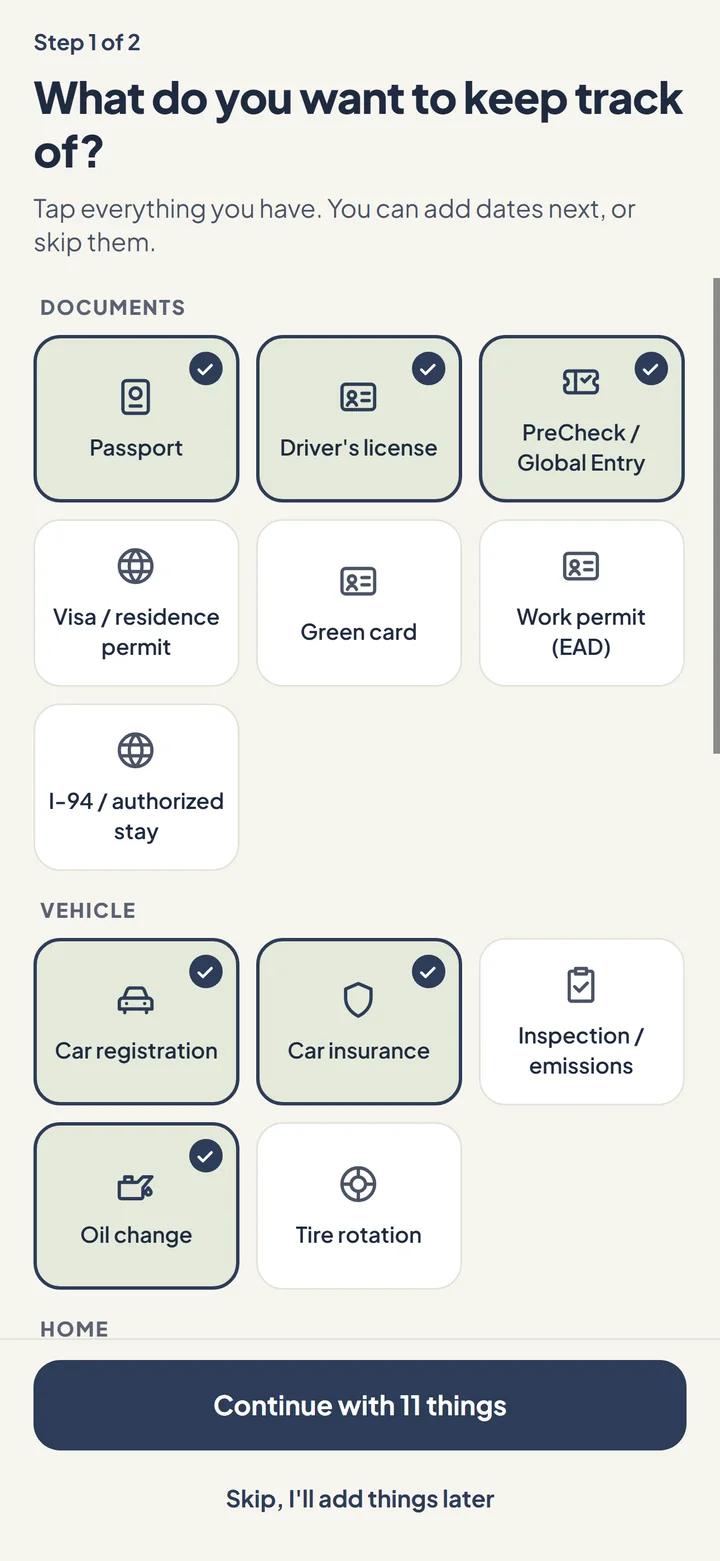
Pick from 27 common things: passport, driver's license, green card, car registration, oil change, HVAC filter, water heater, water shutoff, CO detector, pet vaccines and more. Add the dates now, or later.
Point the camera at a passport or license and HeedHome reads the expiry on your phone. Scan an appliance's label for its model and serial number, or a receipt to start its warranty.
Anything with a date works. Name it, pick the date, and choose how often it repeats and when you want to hear about it.
Features
A list of dates is the easy half. The rest is what happens when one comes due.
Timeline
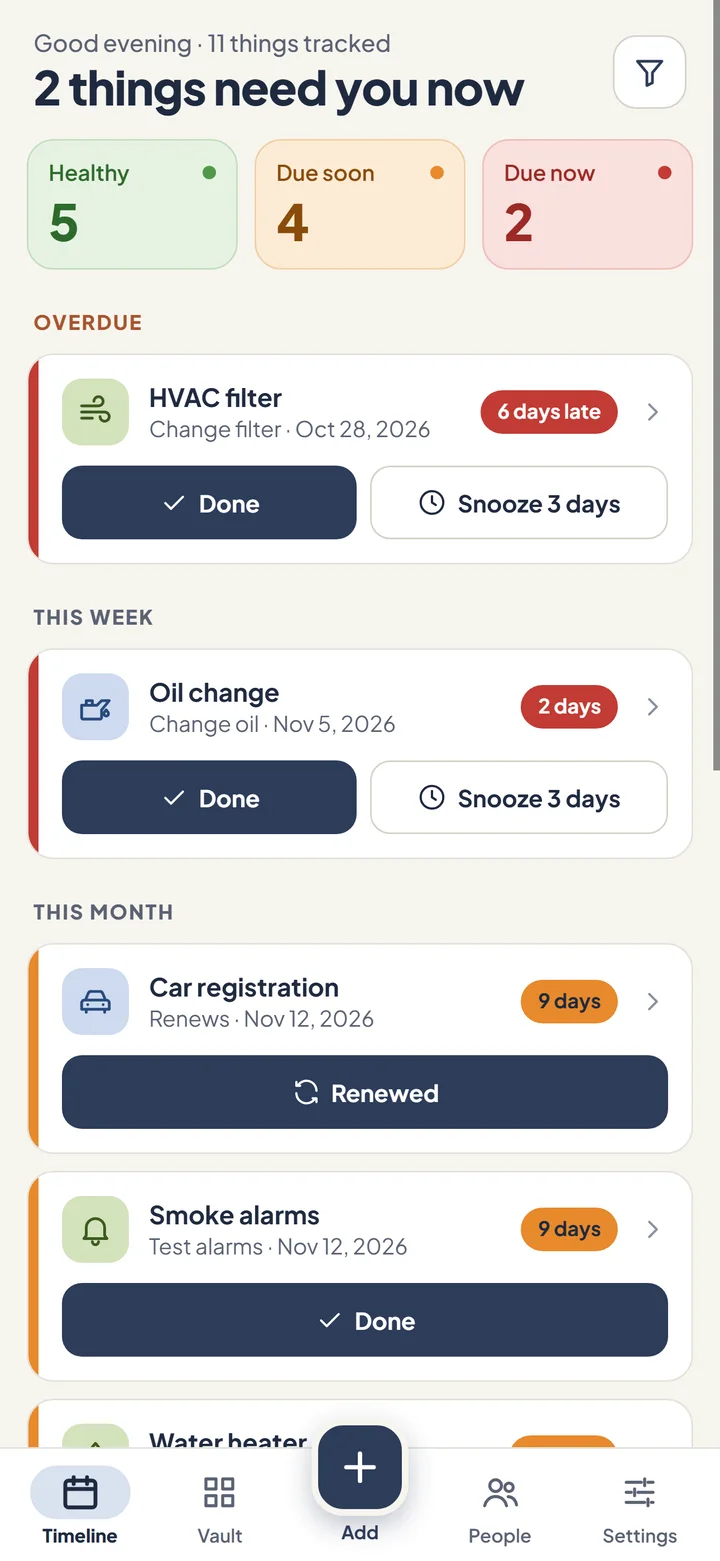
The headline says where you stand: "2 things need you now", or "You're all caught up". Below it, Overdue, This week, This month, Later: home, car and documents sorted by when they are due, with one filter button for when you want just one kind. Three boxes count what is healthy, due soon and due now, and tapping one shows just those. Each card has a stripe and a countdown in the same colour: red when it is overdue or due within a week, orange within a month, green after that. Finished a job? Tap Done and the next date is set for you.
Documents
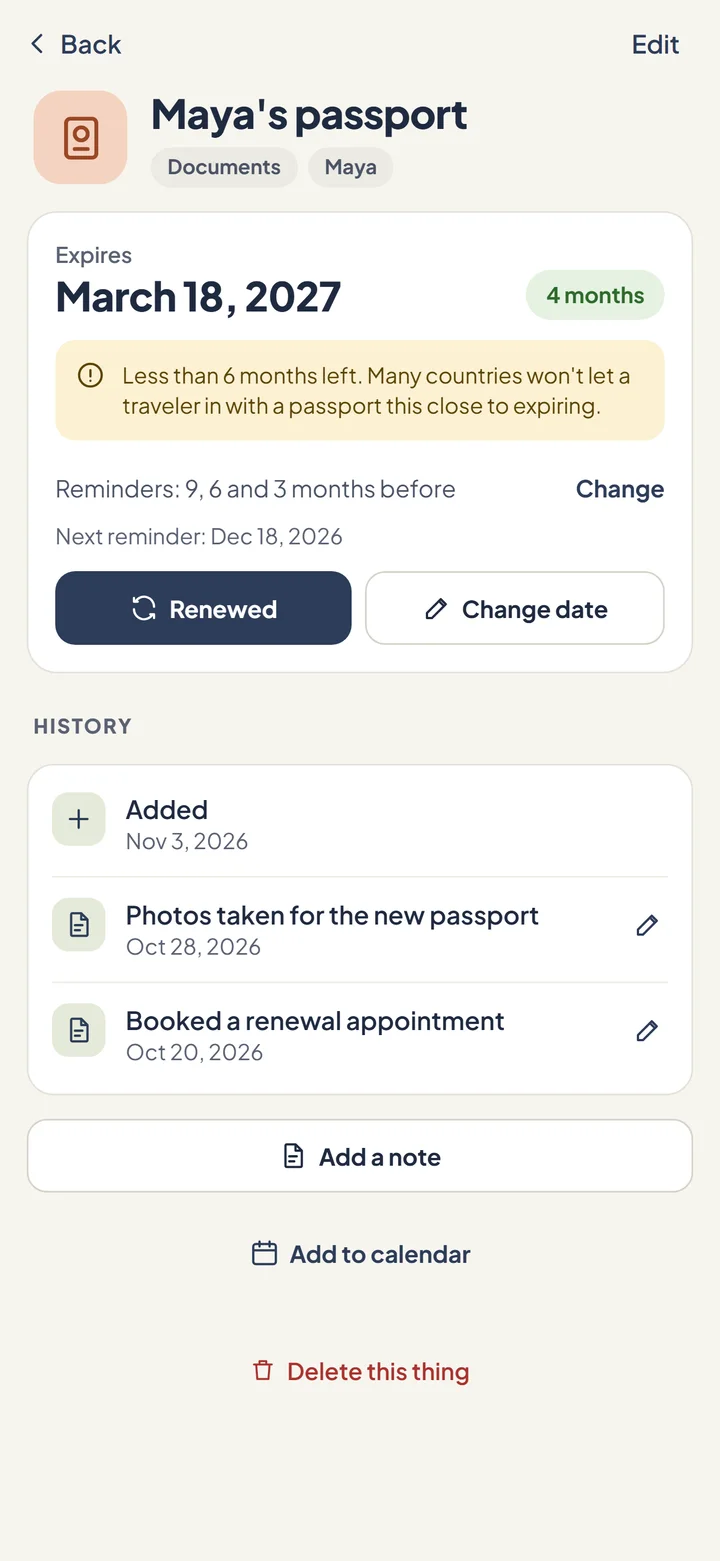
A passport reminds you 9, 6 and 3 months ahead, because many countries won't let you in with less than six months left. Renewed it? Scan or type the new date, and the clock starts again.
Scan
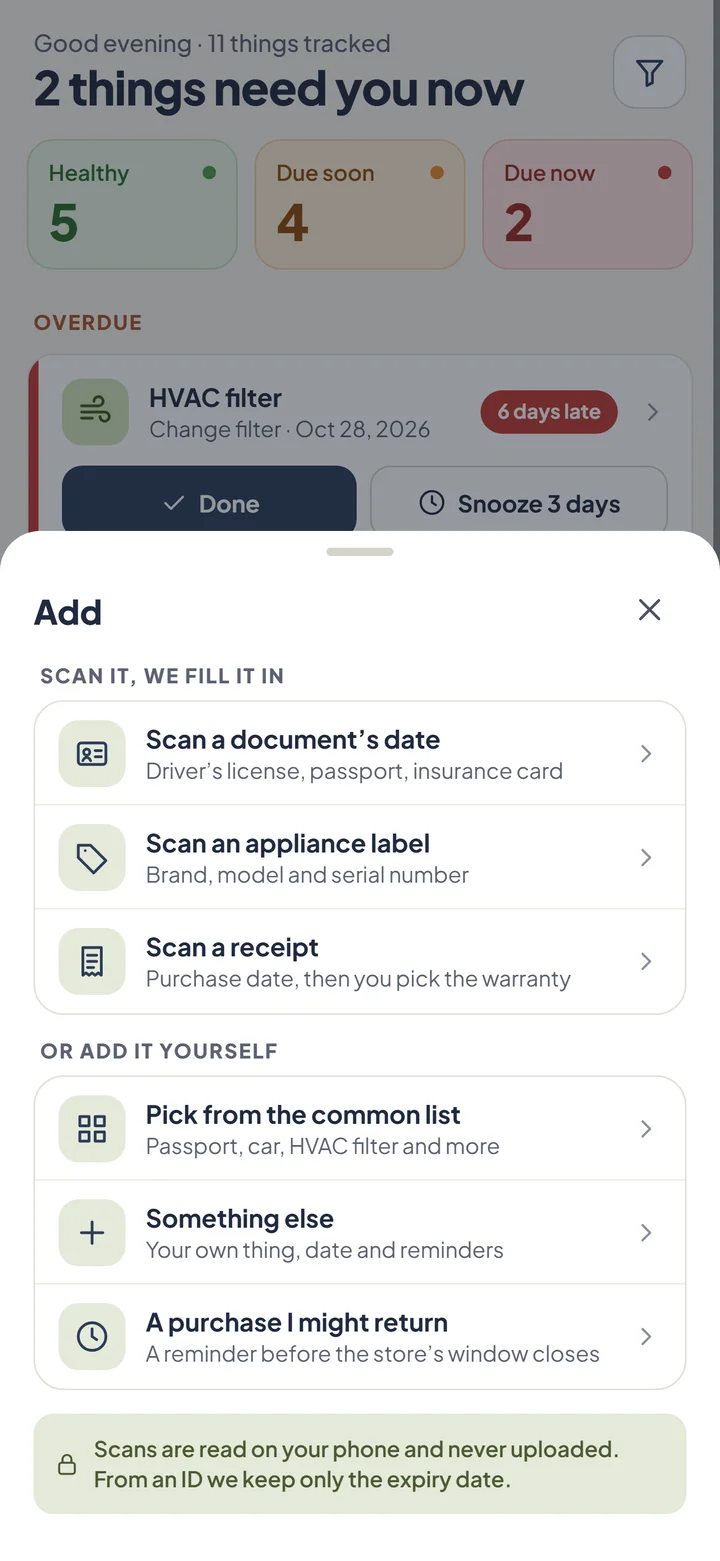
HeedHome reads the expiry date on your phone, then deletes the photo. From an ID it keeps only that date: no name, no address, no date of birth, no ID number. Start from the Add button in the middle of the tab bar: scan a document, a label or a receipt, or pick from the list.
Home
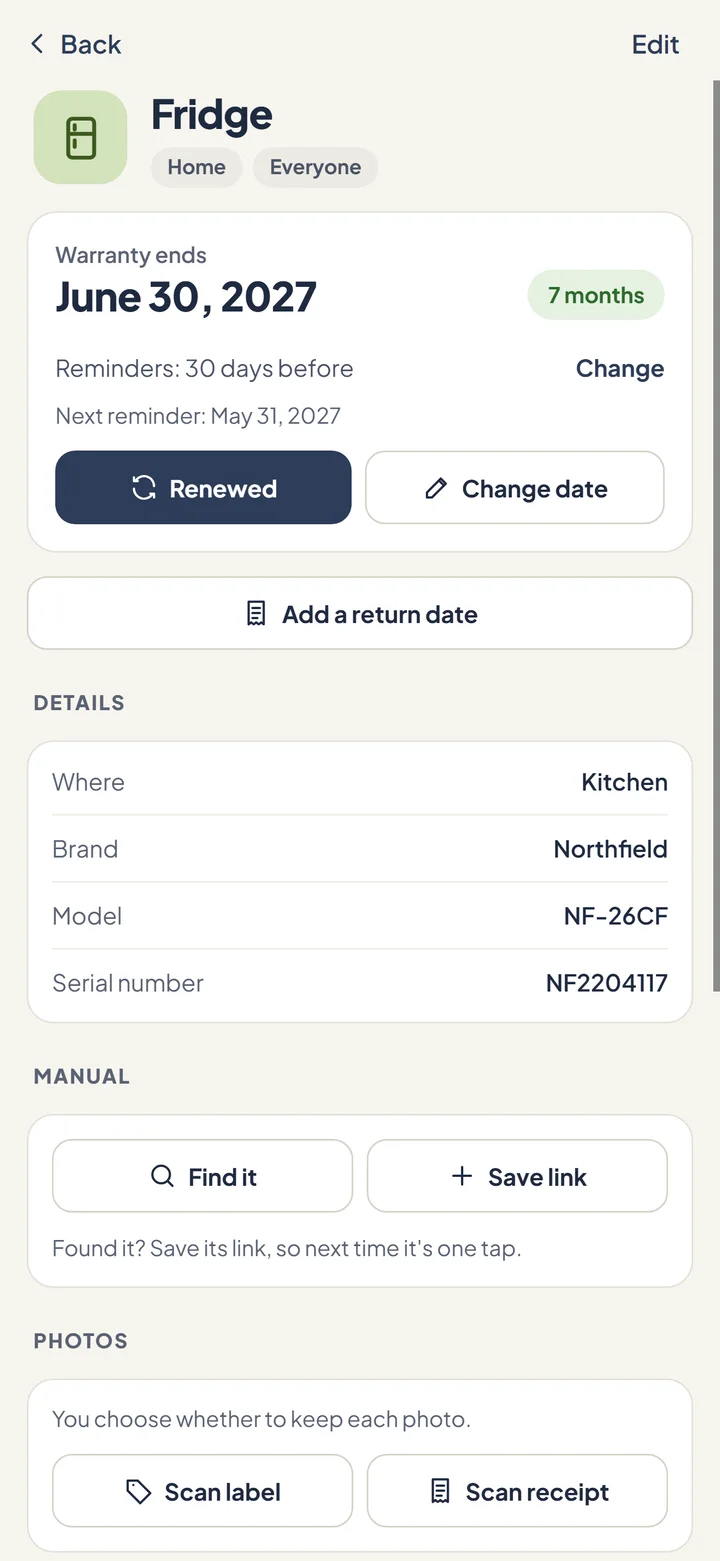
Brand, model and serial number, the warranty date, what was fixed and when. Find the manual in one tap, and keep a photo of the label or the receipt only if you choose to, on your phone. Add the warranty date, or any of its dates, to your calendar.
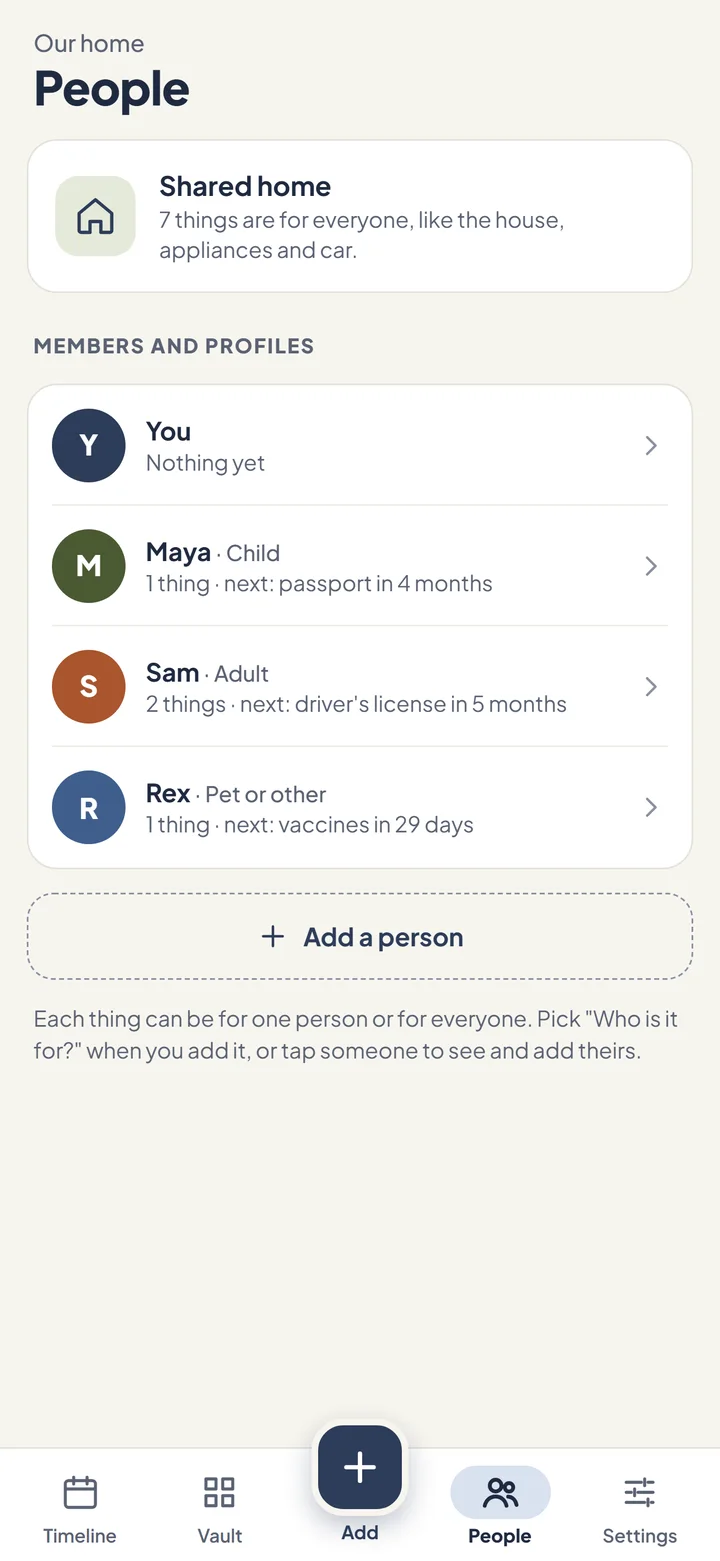
People PRO
Add family members and pets so every document shows whose it is: Maya's passport, Sam's license, Rex's vaccines. The house and the car stay shared. On the free plan, it's just you.
Pick the time of day, how far ahead to be told, and how often a job repeats. They arrive with the app closed.
One switch makes every reminder say only that something needs your attention, so your lock screen stays private.
Lock HeedHome with your phone's own fingerprint, face or passcode. There is no separate PIN to forget.
Typing a date? Tap the camera icon under the box and HeedHome reads it from a photo instead.
Back up to a file any time, free. Pro adds automatic backups to your own Google Drive, or iCloud Drive on iPhone.
No account and no HeedHome server. Export everything, or delete everything, from inside the app, on any plan.
Send one thing's dates, or all of them, to a calendar as a file. HeedHome never asks to see your calendar, and it is free.
Bought something you might send back? Add its return date and HeedHome reminds you 3 days and 1 day before the last day. It stays off your Timeline unless you turn that on.
Log what a repair or service cost and see it add up by year in Spending (Pro). The app follows your phone's light or dark setting.
Pricing
The free plan is a real plan, not a trial. It does not expire.
or $17.99 a year, with 7 days free for new subscribers
Prices are in US dollars; the app shows them in your own currency before anything is charged. Subscriptions are billed through the App Store or Google Play and can be cancelled there at any time. If Pro ends, nothing you entered is deleted. Full detail in the Terms of Use.
FAQ
No. There is no sign-up, and HeedHome has no server that holds your data. Everything stays on your phone.
Your data stays on your phone, protected by your phone's own encryption and screen lock. Photos you choose to keep are also sealed with AES-256 encryption, using a key held in your phone's secure storage. Backup files you make yourself are not encrypted, so keep them somewhere safe.
Passports, driver's licenses, green cards, work permits, I-94 and visas, PreCheck or Global Entry, car registration, insurance and inspections, oil changes and tire rotations, home insurance, HVAC filters, water heaters, appliance warranties, smoke and CO alarms, fire extinguishers, water and gas shutoffs, gutters, child car seats and pet vaccines. You can also add anything else that has a date.
Yes, and it is free. Tap Add to calendar on a thing's page, or Add all my dates to a calendar in Settings. HeedHome makes a calendar file (.ics) with all-day events, repeating jobs that repeat, and a pop-up alarm at your reminder time, then opens your phone's share sheet so you can send it to a calendar app or save it. HeedHome never asks for access to your calendar.
It depends on the thing. A passport reminder arrives 9, 6 and 3 months ahead, and a car registration reminder 60, 30 and 7 days ahead. You can change when you are reminded and how often a job repeats.
The photo is read on your phone and deleted right away, and only the expiry date is kept. You check and correct what was read before it is saved. Label and receipt photos are kept only if you choose to keep them, on your phone.
Yes, to start. The free plan covers up to 15 things for you, with reminders, scanning, the app lock, backup files and the calendar file, and it does not expire. HeedHome Pro adds more than 15 things, your family and pets, return windows, the Spending screen and automatic backups to your own Google Drive or iCloud Drive. Pro is $2.99 a month or $17.99 a year, with 7 days free on the yearly plan for new subscribers. If Pro ends, nothing you added is deleted.
Yes. Everything is stored on your phone, so your timeline and reminders work without a connection. Cloud backup and searching for an appliance manual need one.
Treat a scan as a help, not a promise. Check the date against the original document, and correct anything that was read wrong before you save it.

No Sign-Up. No Accounts. Data Stays On Your Phone Encrypted.
Free on iPhone and Android. Pick the things you have, and HeedHome starts watching.